Cards, Games, coverage, and Terminal News
Markets opens in card view, five-minute Up/Down is easier to scan, sports has a full games board, Polymarket + Kalshi cover every major category (1.2M+ contracts), and Terminal now has a searchable News panel.


Markets now open as cards
The Markets page now starts in card view, so you can scan prices and matchups at a glance. Switch back to a list anytime if you prefer.


Five-minute Up/Down tiles
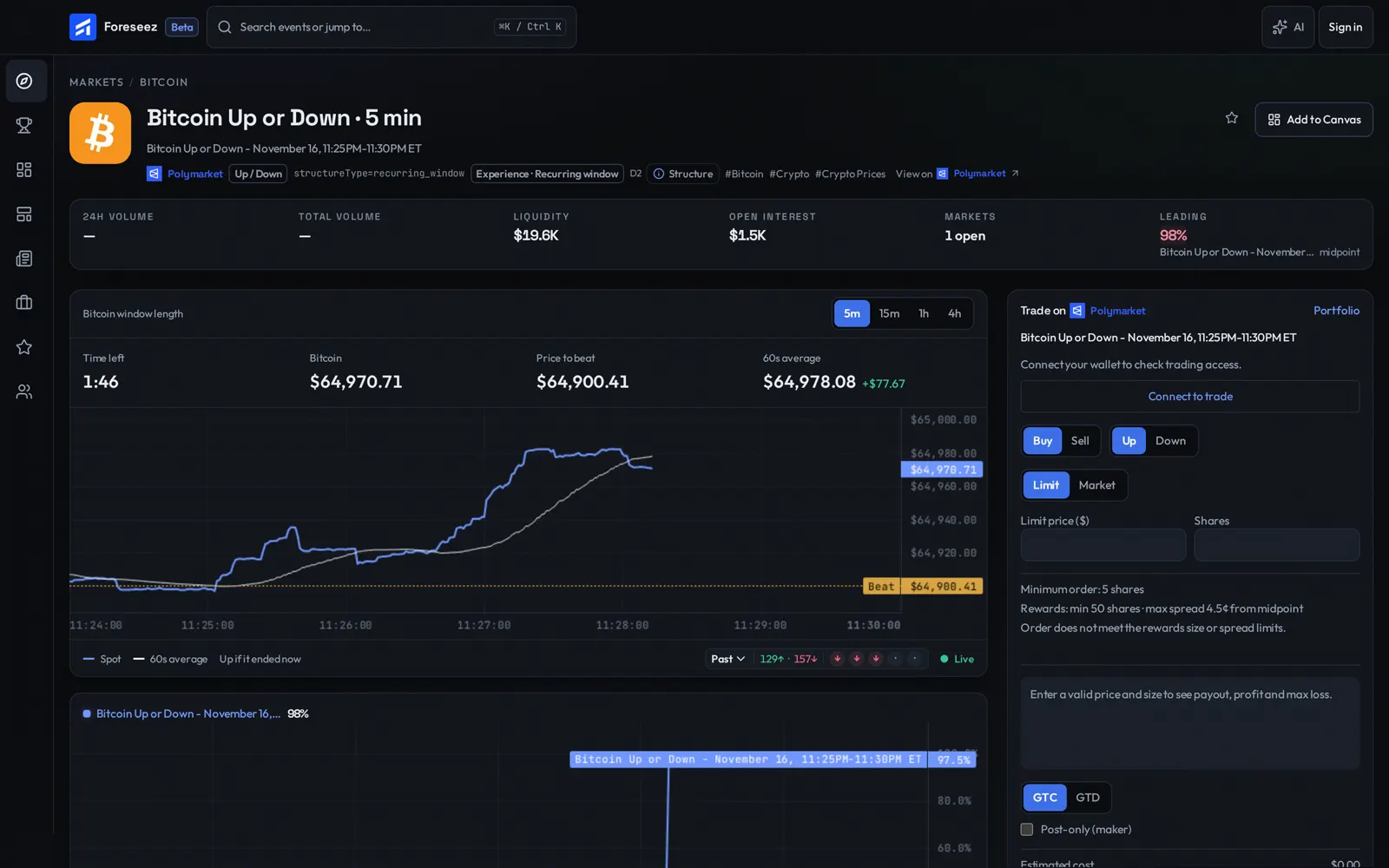
Recurring Up/Down markets now live in compact tiles with Up and Down odds up front. A countdown ring fills in as the window closes.
Open a full Up/Down window
Tap a tile to open that window's page: live price, the line to beat, and a chart for the current five minutes. You can also look back at recent windows.
All sports, one board
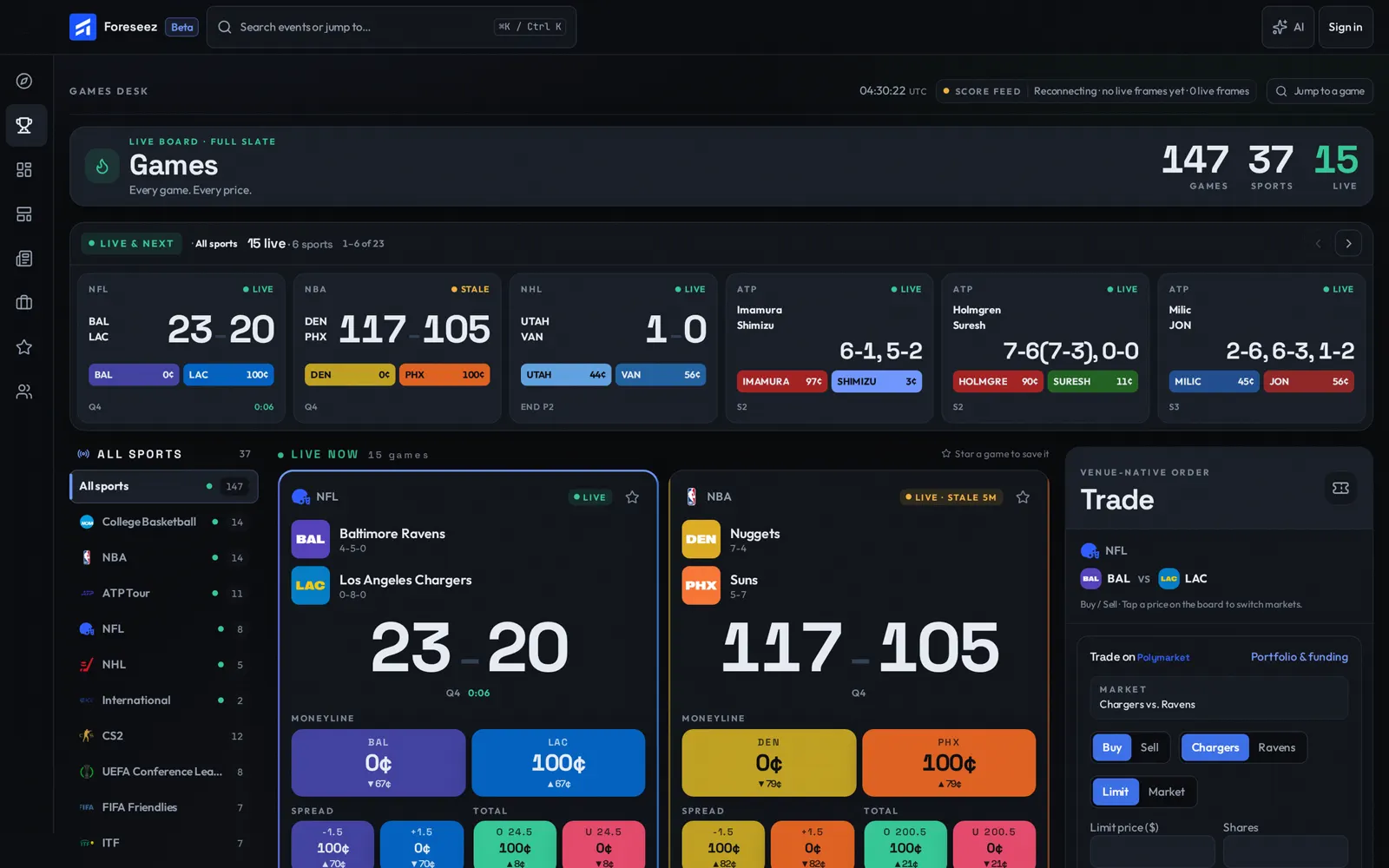
The Games board now opens on All sports, with live scores and odds for tonight's slate in one place. Pick a sport anytime if you want to narrow in.
A page for every game
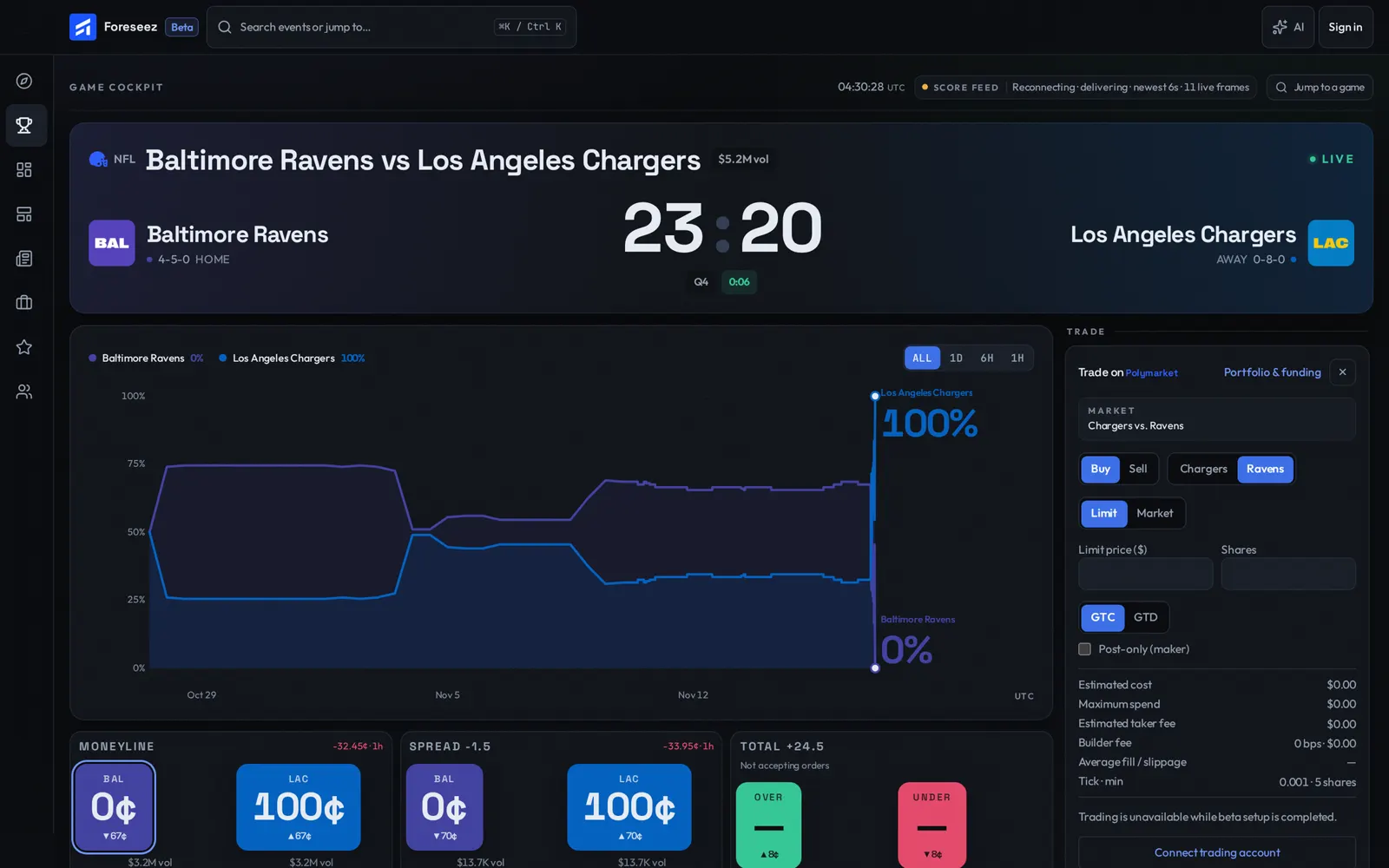
Each game has its own page, with the scoreboard, a moneyline chart, and the main markets (moneyline, spread, and total) ready to trade.
Both venues. Every category.
Foreseez now covers Polymarket and Kalshi end to end — politics, sports, crypto, economy, and the rest — with 1.2M+ contracts in one terminal.
News in the Terminal
Terminal now has a News panel you can search. Scan headlines, filter by source or label, and expand a story for the summary without leaving your desk.
Advanced charting in Terminal
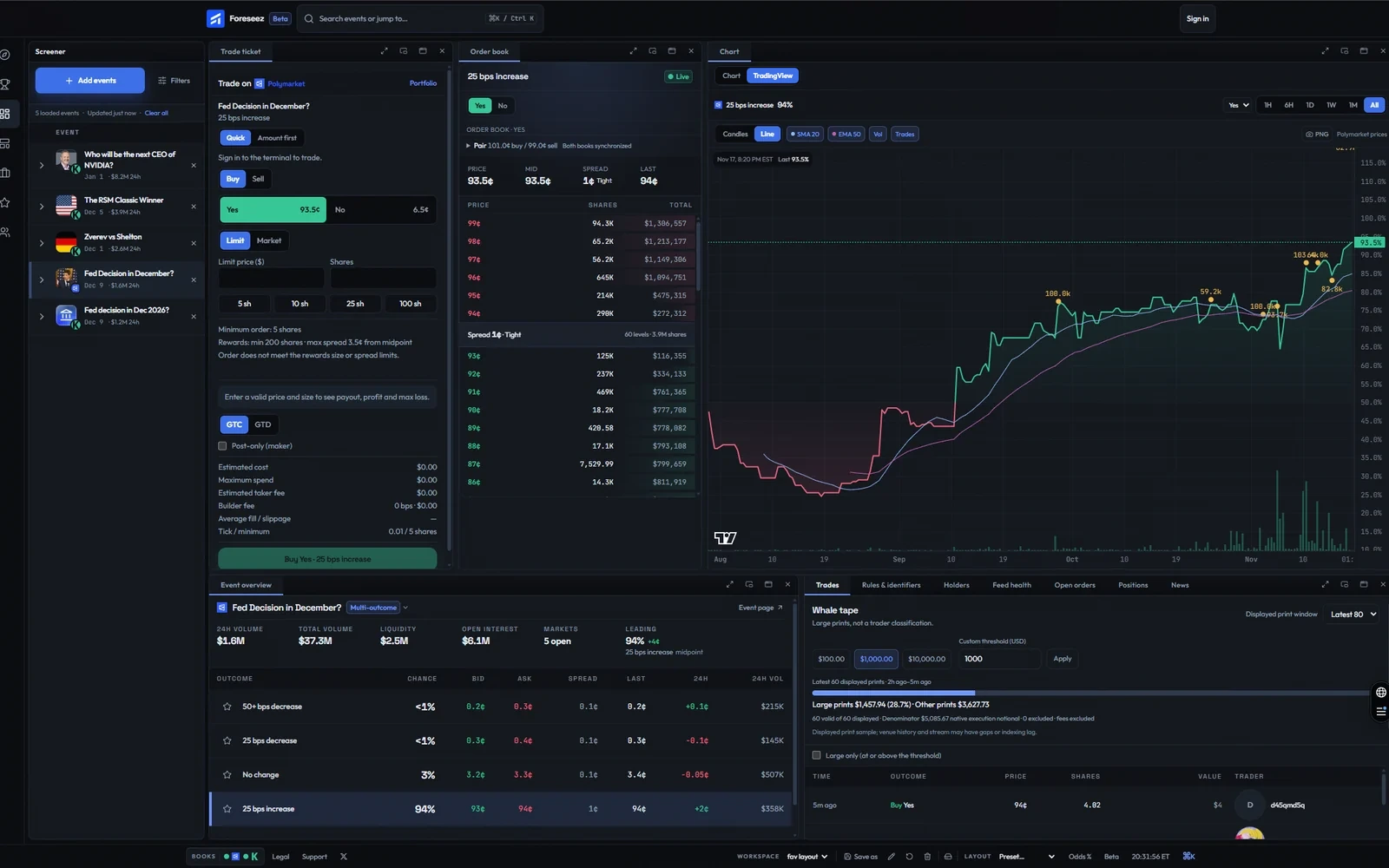
TradingView is now the Chart panel's default: live candles or a line, SMA 20 and EMA 50 overlays, trade-derived volume, outcome comparison and saved price alerts. Switch to Chart for the event overview; step from 1H to All, and hover a candle for its open, high, low, close and volume.